


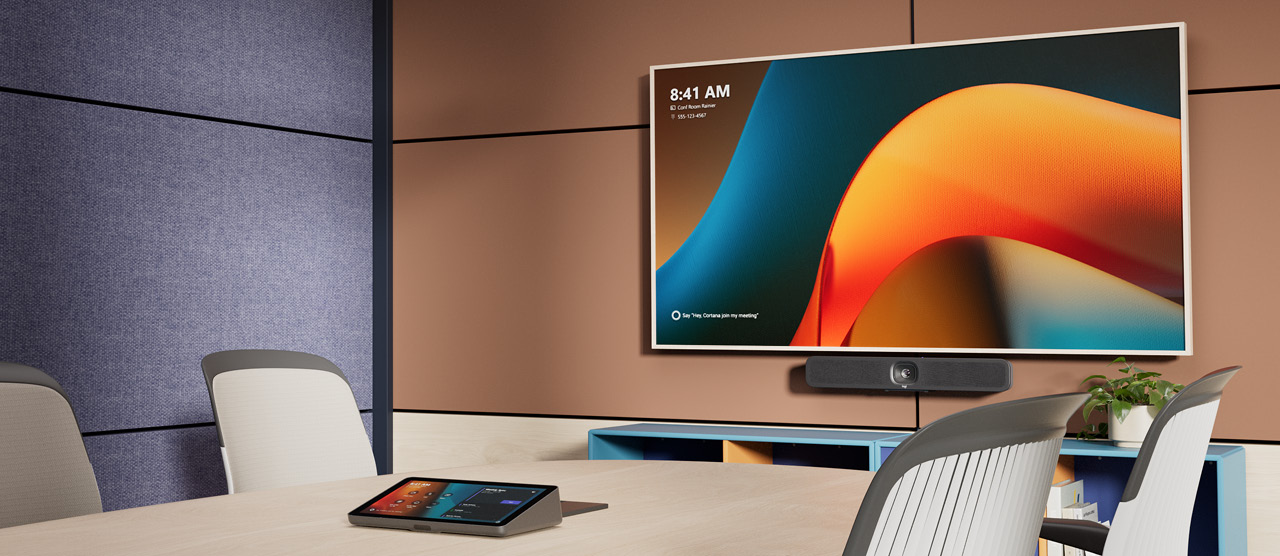
Logitech MeetUp 2 Shop Now
All-in-one USB conference camera for small meeting rooms
Upgrade your small meeting rooms with Logitech MeetUp 2 — an AI-powered USB conference camera designed to make every meeting easier for employees and IT. With intelligent audio and video, seamless setup, and flexible connectivity, MeetUp 2 brings clarity, simplicity, and control to small-space collaboration.
Product Overview
The Logitech MeetUp 2 transforms small meeting rooms into high-performance collaboration spaces. Powered by advanced AI-enabled audio and video features, it delivers a natural, inclusive meeting experience where every voice is heard, and every face is seen clearly — whether participants are in the room or joining remotely. Compatible with leading video conferencing platforms such as Microsoft Teams, Zoom, and Google Meet, MeetUp 2 offers flexible USB connectivity for both in-room PC setups and BYOD (Bring Your Own Device) environments. Pair it with the Active USB Cable accessory for single-cable BYOD simplicity or connect with Logitech Tap to enable next-generation touch-controlled conferencing. Designed for small spaces, MeetUp 2 offers multiple mounting options, clean cabling, and a manual privacy shutter for quick, secure installation. IT teams can manage MeetUp 2 and other Logitech video collaboration devices effortlessly with Logitech Sync — a single cloud-based platform for monitoring room status, deploying updates, and adjusting settings remotely. With regular firmware updates enhancing features like AI Noise Suppression and Grid View, MeetUp 2 continuously evolves to deliver smarter, sharper, and more efficient hybrid meetings — ensuring every conversation stays clear, connected, and effortless.
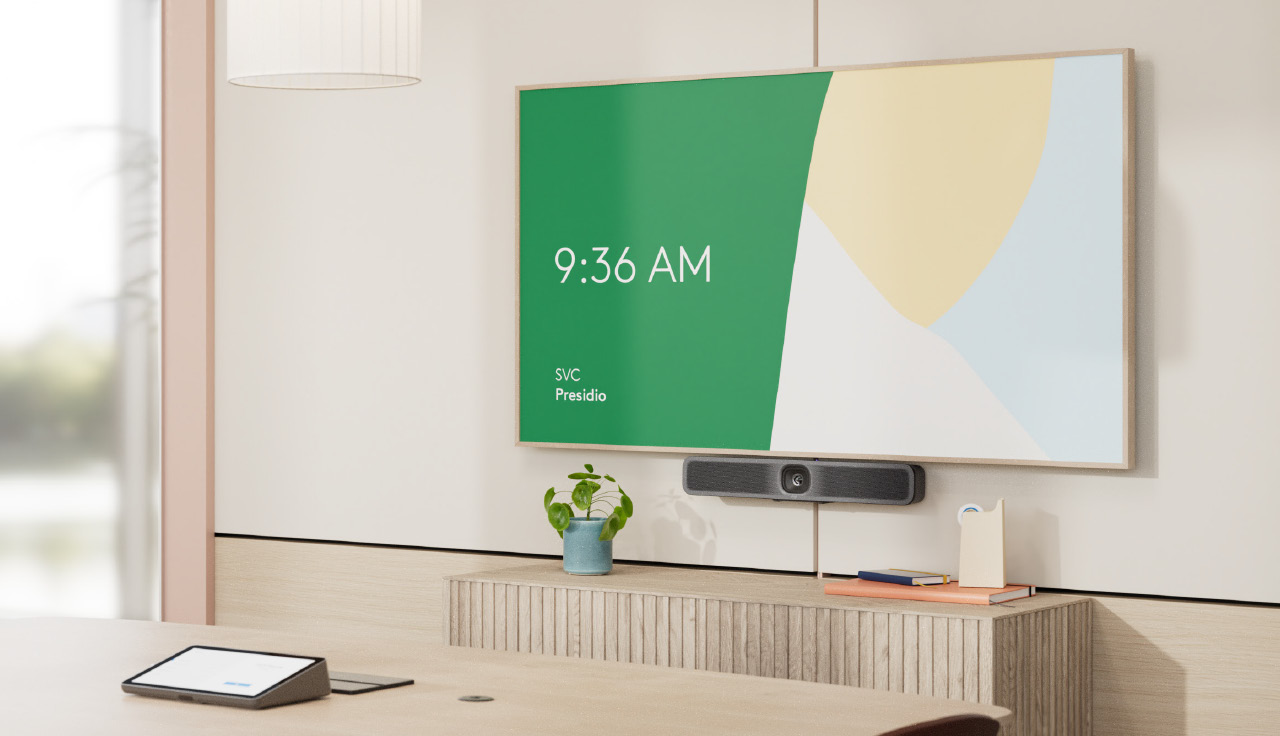
Two Ways to Deploy
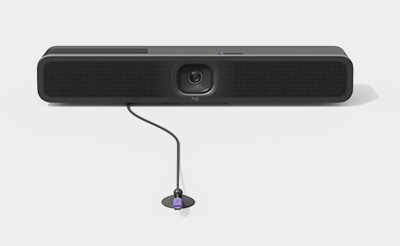
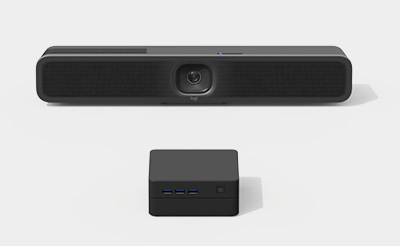
Deploy MeetUp 2 in USB mode with an in-room computer, or in BYOD mode with a laptop. Compatible with the platforms commonly used for video conferencing, such as Microsoft Teams, Zoom, and Google Meet.

AI in BYOD and PC Rooms
MeetUp 2 brings intelligent audio and video experiences to small rooms. Includes AI-based audio and video features that become more capable over time through regular updates that improve performance, add capabilities, and deepen integrations.
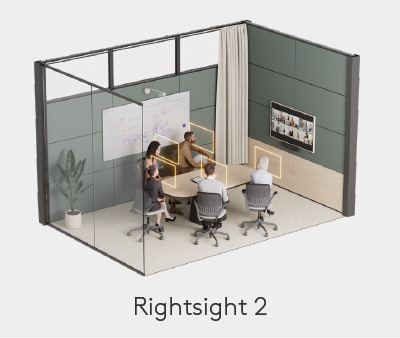
AI in BYOD and PC Rooms
MeetUp 2 brings intelligent audio and video experiences to small rooms. Includes AI-based audio and video features that become more capable over time through regular updates that improve performance, add capabilities, and deepen integrations.
Key Features & Benefits:

Works with leading video conferencing platforms
Leverage the video conferencing platforms and features you already use. MeetUp 2 works1 with* leading video platforms like Microsoft Teams, Zoom, and Google Meet.
Digital PTZ with up to 4X zoom
MeetUp 2 creates a seamless meeting experience with digital pan and tilt and image quality up to 4X digital zoom. Ensure all remote participants can see and hear clearly for a better meeting experience.
Digital signage ready
When MeetUp 2 is deployed in BYOD mode, leverage static digital signage, a new feature for BYOD setups, through Sync, Appspace, and other platforms.2
PC and BYOD deployment
Have the flexibility of deploying in USB mode with an in-room compute or in BYOD mode connected to a laptop. Compatible with the platforms commonly used for video conferencing such as Microsoft Teams Rooms on Windows, Zoom Rooms on MacOS/Windows, and Google Meet on Chromebox.
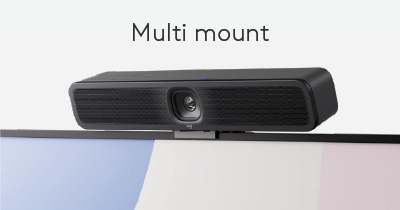
Flexible deployments with the multi-mount
Multi-mount enables easy, flexible installation. Attach MeetUp 2 to a display, table, or wall to get the most out of your huddle and small spaces
AI audio and video in BYOD and PC rooms
MeetUp 2 brings intelligent audio and video experiences to small rooms. Includes AI-based audio and video features that become more capable over time through regular updates that improve performance, add capabilities, and deepen integrations.
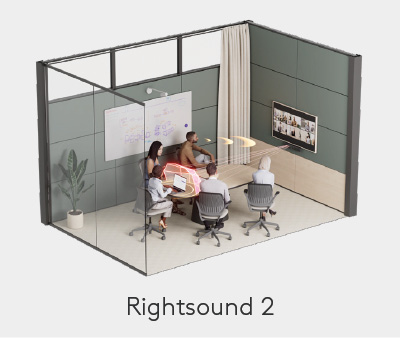
Clear Voice Pickup with AI-Driven Audio
MeetUp 2 optimises sound to ensure everyone is heard clearly, using AI for noise suppression, echo suppression, and voice equalisation with RightSound 2. With six beamforming microphones and a pickup range of up to 23 feet, MeetUp 2 allows up to six people in a small room to be heard clearly without the need for additional mics.
Device management through Sync
MEasily manage your MeetUp 2 and other Logitech video collaboration devices with Logitech Sync. Install the Sync app on the in-room PC, or manage and configure it remotely via Ethernet or Wi-Fi in BYOD mode.
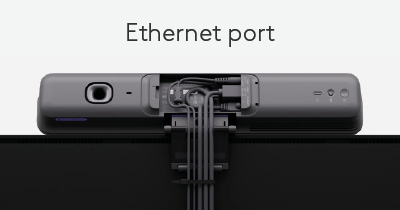
Easy connectivity for BYOD
Single-cable connectivity for BYOD. Ethernet port and Wi-Fi connectivity allow multiple options for the device to quickly connect to the internet in BYOD setups. Also means that no dongle is required.
Manual privacy shutter
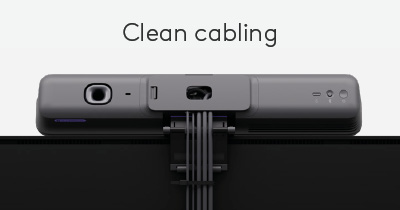
Provides a sense of privacy in the room when the camera is not being used. Clean cabling and secure wire management. Ensure clean, confident installs with secure cable management and minimal cabling.
Upgrade your small meeting and huddle rooms with the MeetUp 2.

Solutions for Team and Personal Workspaces
1 For the latest information on certifications and compatibility, visit logitech.com/support/vc-certifications
2 Compatibility with AppSpace and other platforms is coming soon